
Business PBX
An unanswered call is a customer who walked away. At your place, it gets answered.
Most customers who call a business and aren't answered don't try again — they call a competitor. Kesher's business PBX is built around this principle: every call has somewhere to land. Answered at the office, and if not — on the mobile, and if not — a message is left waiting for you by email.
- Customer dials Your published business number
- Professional greeting Recorded in a studio, in your wording 1 Sales2 Service3 Accounting
- The department rings Several employees together, or by queue
- No answer? Goes to the mobile After a number of seconds you choose
- And there is always a backup A voicemail box that arrives by email + an entry in the call log
Three things that change in the very first week
The first impression sounds different
Instead of a long ring that ends in nothing, the customer hears a recorded greeting with the business name and a short menu. Even a three-person business sounds like an organized company — because it really is organized.
You know about every missed call
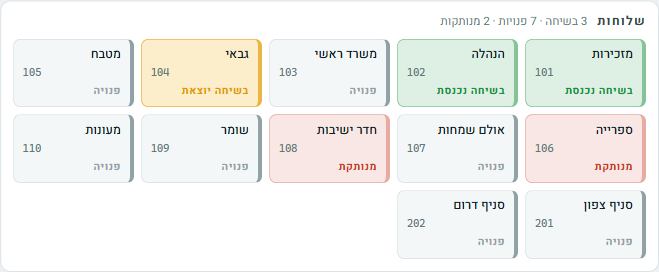
The call log in the control panel also shows the calls that went unanswered — from which number, when and how long they waited. At the end of the day you go over the list and get back to everyone who wasn't answered. Messages left in voicemail arrive straight in your email.
The phone stops running you
Supplier calls go to accounting, sales calls go to sales, and only what is truly urgent reaches you. After business hours the system answers with an organized message instead of the phone chasing you home.
A small business and a large one need a different PBX
A business of two or three people and a chain with branches have completely different phone problems. That's why we made a separate page for each:
Your business, in your hands
Before you decide
How many extensions can be connected to the PBX?
As many as you need — from one extension to hundreds. You add and remove extensions according to your actual staff, without replacing a system and without installations.
Does the system work with the phones we already have?
Desk phones that support an internet (IP) connection connect directly. Older devices can be connected with an adapter, and you can always answer from a mobile app or computer software too.
Our number has been published for years. Do we have to get a new one?
No. We port your existing number to the system and it keeps working as usual. All your ads, cards and signs stay correct.
Can calls be recorded for service and quality purposes?
Yes. You choose which extensions or departments are recorded, and the recordings are saved and accessible from the control panel — for resolving a matter with a customer, training employees or documenting orders.
Let's go over one day of phone calls at your business together
Tell us how many incoming calls you get a day, who answers and what happens when no one is free — and we'll show you exactly where the system saves you customers.
077-921-9000