What Is a SIM Extension?
A SIM extension is a SIM card that behaves like an extension on the PBX: you answer and dial from the mobile's regular dialer, with no app and no data usage, and the calls go out with the business's number.
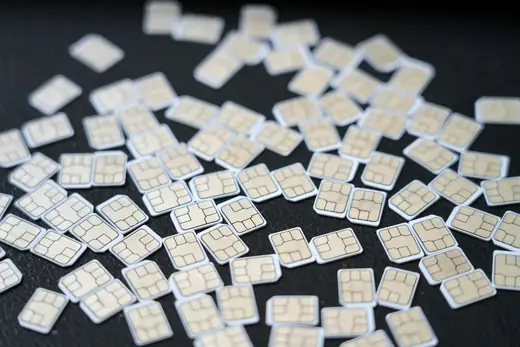
An extension that goes into the SIM slot
Most ways to put an extension on a mobile phone rely on an app and on the internet. A SIM extension goes another way: the phone gets a SIM card whose number is connected directly to the PBX. There is nothing to install and nothing to set up. You insert the SIM, and the phone is an extension in every respect.
This solves a familiar problem: an employee who gives customers his private number. The customers get used to calling him, the business does not know which calls were made, and when the employee leaves, the customers go with him. With a SIM extension, calls go through the PBX, are recorded in the log, and go out with the business's number.
How it works
Incoming call: a customer calls the business's main number. The PBX routes it, through a menu, queue or hunt group, to the employee's extension, and from there it rings on his mobile like a regular call.
Outgoing call: the employee dials from the regular dialer. The call goes over the cellular network to the PBX, and the PBX places the call out to the customer with the business's caller ID. The customer sees the office number, and if he calls back, he reaches the business and not a private number.
Because the call goes through the PBX, it gets everything an extension gets: it appears in the call log, it can be recorded according to the settings, and it can be part of groups and queues.
Why a SIM and not an app
- Works on a kosher phone: no need for data or an app store.
- No dependence on the internet: the call goes over the cellular network, like any call. Where data is slow or drops, the call still works.
- No drained battery from an app running in the background.
- No setup: no passwords to type and no permissions to approve.
- Simple for the employee: anyone who knows how to answer a phone knows how to use it.
What to know beforehand
- A dual-SIM phone: if the employee also wants to keep his private number on the same device, he needs a phone that supports two SIMs. Many do, including some kosher devices, but it is worth checking beforehand.
- No advanced screen: there are no lights for other extensions and no graphical interface. What the regular dialer has is what you get.
- Reception: the call quality is like any cellular call. In a basement or an area with no reception, the extension will not ring either.
- The phone's own voicemail: if the extension also rings in parallel in the office, make sure the phone's voicemail does not answer first and "grab" the call.
Who It's For
Field staff and drivers
Technicians, agents, movers and couriers who spend most of the day in a vehicle. They answer customers on behalf of the business, and should not have to deal with an app while driving.Managers on the road
A manager who spends most of the day in meetings and wants to answer his extension from anywhere, without exposing his private number.A team with kosher phones
In yeshivas, institutions and businesses in the Haredi community, many people carry only a kosher mobile phone. A SIM extension is the way to give them a full PBX extension without changing the device.Anyone who wants separation
An employee who wants work calls to be separate from personal ones, without carrying two devices, on a dual-SIM phone.How to get started
- Decide who gets one: usually someone who is away from a desk most of the day, or someone who carries a kosher phone.
- Check the device: does it accept another SIM, and if the employee wants to keep his private number, does it have room for two cards.
- Decide how the extension fits in: a standalone extension, an extension that rings together with a phone in the office, or part of a group or queue.
- Insert the SIM and make two test calls: one incoming through the main number, and one outgoing to another phone, to see that the business number appears on the display.
- Update the customers: from now on, give them the business number and not the mobile. Whatever comes back to it reaches the employee through the PBX.
Common mistakes
- Continuing to give customers the private number: then half the calls bypass the PBX, and the whole advantage disappears.
- Dialing from the wrong SIM: on a dual-SIM phone, set the work SIM as the default for calls, or choose on each call, so the private number is not sent out by mistake.
- Leaving the carrier's voicemail active: it may answer business calls before the PBX passes them on.
- Not planning for when there is no reception: the extension should have a fallback destination: a PBX voicemail box, or another employee.
Comparison with other ways to answer on a mobile
| SIM extension | App (softphone) | Forwarding to the private mobile | |
|---|---|---|---|
| Needs internet | No | Yes | No |
| The customer sees the business number on an outgoing call | Yes | Yes | No: if you dial from the mobile, the private number goes out |
| Works on a kosher phone | Yes | No | Yes |
| Outgoing calls in the business's log | Yes | Yes | No |
Forwarding to a mobile (Follow Me) is a good solution for incoming calls, but a call the employee dials from his private mobile does not go through the PBX. A SIM extension and an app solve this direction too.
End-to-end example: a yeshiva where the whole staff has a kosher mobile phone
A large yeshiva with a dormitory: a rosh yeshiva, a manager, six rebbeim, a mashgiach, a secretary and a cook. Apart from the secretary, nobody has a smartphone; everyone has a kosher mobile phone. Until now, parents dialed the rebbeim's mobiles directly, at any hour, and the office knew nothing about it.
- Setup. The office gets an IP phone (extension 100). Each rebbe, the mashgiach and the manager get a SIM extension (201 to 208). The cook gets an analog phone in the kitchen through an adapter (300).
- Routing. The main number reaches a menu: "For the office, press 1. For your son's rebbe, dial the extension number." The parents get a sheet with the rebbeim's extension numbers.
- Hours. With time-based routing: during seder, a call to a rebbe does not ring on his mobile but goes to a voicemail box with the message "The rebbe is in seder, available between 1:30 and 2:15 p.m." The message arrives in the office's email.
- Outgoing. When a rebbe calls parents from his mobile, they see the yeshiva's number. When they call back, they reach the menu and dial his extension. His private number stays private.
- The rosh yeshiva gets extension 200, which rings on his mobile only for calls the office transfers. It cannot be reached directly from outside.
What changed in practice: the parents are satisfied because they know when someone can be reached, the rebbeim are satisfied because seder is quiet, and the office sees every call in the log, including those answered on a mobile. Nobody installed anything, and no phone was replaced.
Reception, roaming and what you see on the display
A SIM extension rides on a regular cellular network, so it behaves like any SIM when it comes to reception. A few things worth knowing as general background:
- Reception: the phone looks for the nearest tower just as with any SIM. In a basement, an elevator or an interior stairwell the call will not get through, and the PBX will use the extension's fallback destination (voicemail, another extension). So the fallback destination is a required setting, not a luxury.
- Traveling abroad: whether the SIM works abroad, and under what terms, depends on the line's plan, as with any SIM. Ask before a trip. In most cases it is more convenient to give the traveler an app on the hotel Wi-Fi and leave the SIM for work in Israel.
- Two SIMs in one phone: the phone listens to both networks, but on most devices an active call on one SIM means the other is "busy" at that moment. A call that reaches the extension then behaves like a busy extension: it goes to the fallback destination.
What the employee sees on the display: when a call arrives through the PBX, a number appears on the mobile's display. Exactly which number, the original caller or a PBX number, depends on the setting and on how the line is configured, so it is worth checking what appears on the first test call and adjusting. On a kosher phone with no synced contacts, this is also what stays in the recent calls list.
What the customer sees: on an outgoing call, the customer's display shows the number chosen as the extension's outgoing caller ID: the business number. Even if he saves the number under the employee's name, when the employee leaves and the customer dials, he will reach the business.
When it doesn't work: symptom, cause, fix
| What happens | Likely cause | What to do |
|---|---|---|
| Calls to the extension don't reach the mobile | No reception, the phone is off, or the SIM was inserted in a slot set to "data only" | Check the signal bars; on a dual-SIM phone, make sure the work SIM is set for calls |
| The customer sees the SIM's number and not the business number | The call went out from the private SIM, or the extension's outgoing caller ID was not set | Select the work SIM as the default for calls; in the control panel, check the extension's outgoing caller ID |
| The call goes to the carrier's voicemail instead of the PBX | The cellular network's voicemail answers before the PBX's ring time is up | Turn off the carrier's voicemail, or shorten the extension's ring time so the PBX transfers first |
| An outgoing call "drops" immediately | Dialing in a format the PBX doesn't recognize, or a destination blocked for the extension | Dial with the full prefix as from any phone; check whether the extension is restricted to certain destinations |
| Rings on the mobile but not in the office | Only the SIM is "registered"; the desk phone dropped | On the Extensions screen you can see which devices are registered to the extension |
And the connection to the rest of the system: a SIM extension can be a member of a queue, a hunt group and Follow Me just like a desk phone. The only thing it lacks is the buttons: transferring a call, holding and answering a second call are done with the mobile's regular functions (hold, add call), not with PBX keys. In a call center that transfers many calls, that is a reason to prefer a desk phone; for a field employee who answers and talks, it is not noticeable at all.
How it works with us at Kesher
At Kesher, a SIM extension is one of three types of extensions, alongside an IP phone and an app. It works without an app and without data, so it also suits a kosher phone.
We provide the SIM card already connected to the extension. Calls that go out from it go out with the business's number, and you choose each extension's outgoing caller ID in the control panel.
A SIM extension can be the employee's only extension, or ring in parallel with a phone in the office; with us, one extension can ring on several devices. It suits field employees, drivers, managers on the road, and anyone who wants to separate a private phone from work.
Have a question about a specific phone model, or not sure whether a SIM or an app is right? Talk to us. A person answers, and together we match each employee with what is convenient for him.
FAQ
Does a SIM extension work on a kosher phone?
Yes. It needs no app and no data, so it works on any phone that can accept the SIM.
Will the customer see the SIM's number?
No. An outgoing call goes through the PBX and goes out with the business's number.
Can I keep my private number on the same phone too?
Yes, if the phone supports two SIM cards. It is worth checking this beforehand.
What happens when there is no reception?
The phone cannot receive the call, just like with any cellular call. So it is worth setting a fallback destination for the extension: a PBX voicemail box, another extension or a hunt group, so the customer is not left without an answer.
What is the difference between a SIM extension and forwarding calls to a mobile?
With forwarding, only incoming calls reach the mobile, and what the employee dials goes out from the private number. With a SIM extension, outgoing calls also go through the PBX, with the business's number.
Can I transfer a call from a SIM extension to another extension?
Yes, but with the phone's tools and not with PBX keys: put the call on hold and dial the extension, or use a transfer code if one was set up. For someone who transfers many calls, a desk phone is more convenient.
Does a SIM extension work abroad?
It depends on the line's plan, as with any SIM. Ask before a trip. For most travelers it is more convenient to answer the extension with an app on Wi-Fi and leave the SIM for work in Israel.
What appears on the phone's display when a call comes in from the PBX?
A number, either the original caller's or the PBX's, depending on the line's setting. Check this on the first test call and adjust to what is convenient for the employee.