What Is Optical Fiber?
Optical fiber is a cable that carries data using flashes of light inside a thin strand of glass, instead of electric current in copper wires. It is fast, stable and not affected by electrical interference, which is why it is the recommended internet connection for an office that uses cloud telephony.
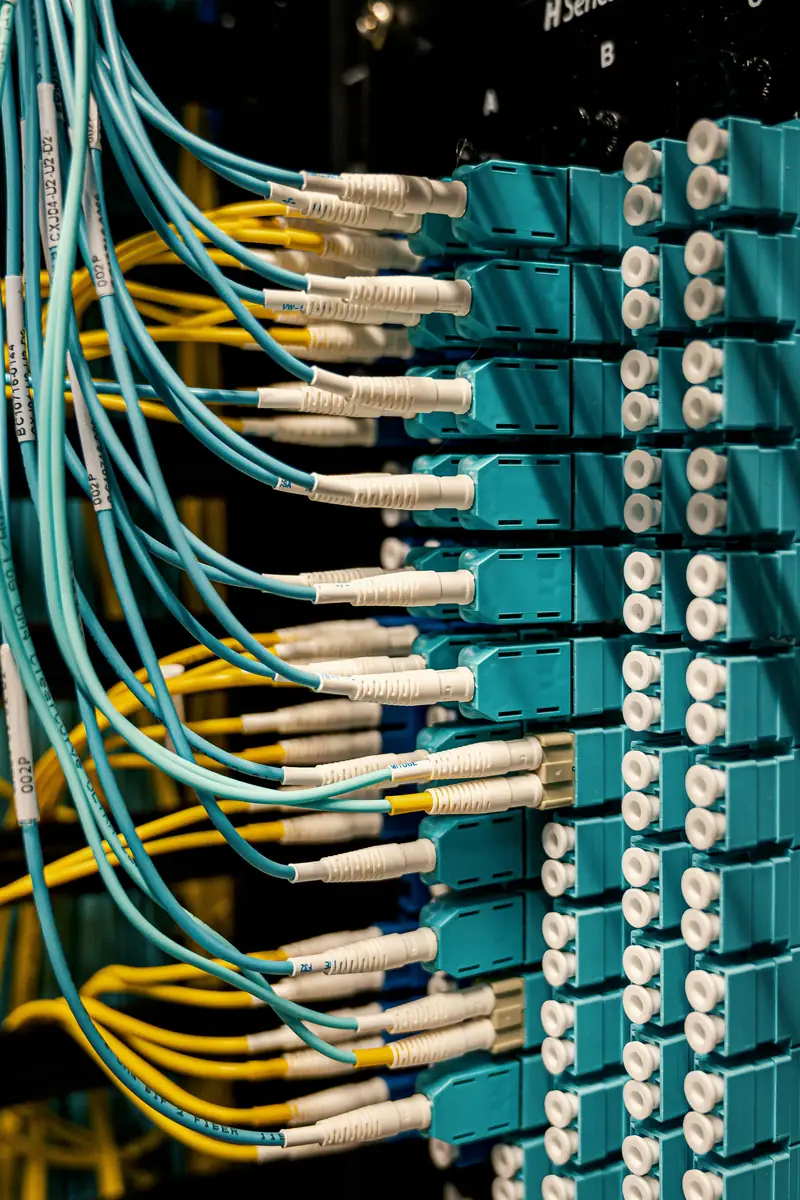
What optical fiber actually is
Optical fiber is a strand of glass (or sometimes plastic) as thin as a hair, wrapped in protective layers. At one end there is a laser or an LED that flashes billions of times per second, and at the other end a light detector that translates the flashes back into ones and zeros. Each flash is a bit of data: a web page, an email, or a small piece of your voice in a phone call.
The secret that lets light travel kilometers inside a bent strand is a phenomenon called total internal reflection. The fiber has a central core, and around it a layer (the cladding) with a lower refractive index. Light entering the core hits the boundary with the cladding at a shallow angle and "bounces" back inward again and again, like a ball rolling in a pipe. This is how it keeps moving forward even when the cable bends around the corners of a building.
Because the data travels as light and not as electricity, the fiber does not pick up interference from power cables, motors, elevators or lightning, and it also does not "leak" a signal outward. This is the essential difference from old copper lines, where the signal weakens quickly with distance and is affected by every bit of ambient noise.
A bit of history
The idea of guiding light inside glass has been known since the 19th century, but for years the glass simply was not clean enough: the light faded after a few meters. The turning point came in 1966, when the engineer Charles Kao showed that the problem was impurities in the glass and not the glass itself, and that if it were cleaned enough, it would be possible to send data through it over long distances. For this work he received the Nobel Prize in Physics in 2009.
In 1970, researchers at an American glass company managed for the first time to produce a fiber with loss low enough for practical communications. By the late 1970s, commercial phone lines were already running on fiber between exchanges, and in 1988 the first optical cable crossing the Atlantic Ocean was laid. Today most of the world's internet traffic, including your calls, travels through optical cables under the sea and between cities.
What has changed in the last decade is the final stretch: the fiber no longer stops at the telecom company's neighborhood exchange, but reaches the building and the door. In professional language this is called "the last mile," and it is what determines the quality of your office's connection.
Types of fiber connections
When someone sells you "fiber internet," it is not always the same thing. The difference is how far the fiber goes, and what carries the signal in the section after it:
- FTTH (Fiber To The Home): the fiber reaches the office or apartment itself, to a small box on the wall. This is the best connection.
- FTTB (Fiber To The Building): the fiber reaches the building's communications room, and from there a copper cable continues to each office. Usually very good, depending on the internal wiring.
- FTTC (Fiber To The Curb): the fiber reaches a cabinet on the street, and from there a copper line runs to the building. This is essentially an improved copper connection.
Most fiber networks for homes and small businesses use a technology called GPON: a single fiber from the exchange is split passively (with no electricity along the way) among a few dozen subscribers. Each subscriber gets a small converter called an ONT, which translates the light into a regular network cable that connects to the router.
Inside large buildings and on campuses, fiber is also used to connect floors and buildings. A regular network cable is limited to about 100 meters, and fiber solves that easily. There are two main types: single-mode for distances of kilometers, and multi-mode for shorter distances within a site.
Why it is especially good for telephony
A common mistake is to think fiber matters for calls because of speed. In practice, a phone call uses very little, about 100 kilobits per second, less than one percent of an average connection. What really matters for voice is stability: low, steady latency, with no jumps and no momentary drops.
This is where fiber wins. Old copper connections often have the modem "resync" because of noise on the line, which means a few seconds without internet that sound like a disconnection during a call. Cable connections are shared by the whole neighborhood and may slow down at peak hours. With fiber, the latency to the provider is usually low and steady throughout the day.
Another advantage is upload speed. On older connections the upload was a small fraction of the download, and when someone in the office uploads files to the cloud or sends an email with heavy attachments, the outgoing voice of all the calls gets choked. On fiber connections the upload is usually much higher, and this is much less likely to happen. For the full calculation, see bandwidth.
Limitations and things worth knowing
- Fiber does not work without electricity. The ONT and the router need power, and in a power outage the connection goes down. This is one of the reasons to connect them to a UPS.
- Fiber is sensitive to sharp bends and crushing. A cable that is stepped on, caught in a door or bent at a sharp angle can lose signal. Installers who leave a neat loop of slack do it on purpose.
- Not every address is connected. Coverage depends on the street and the building, and sometimes approval from the building committee or the property owner is needed to run the cable.
- The internal connection decides. A fast fiber line to the door will not help if the phones inside the office are connected over a crowded Wi-Fi or a damaged cable.
It is important to remember: fiber is a good connection, not an eternal one. Fiber is sometimes cut too, during infrastructure work on the street. A business that depends on its phones should still think about a backup internet line.
How to check availability and order
Before ordering, check with the infrastructure providers whether the exact address is connected, and what the actual connection type is: to the office, to the building or to the street. Also ask about the upload speed, not just the download, and about the option of getting a static IP address if you need one.
On installation day, make sure the ONT is installed in a place that connects easily to the communications cabinet or the router, and not in a remote corner that requires a long, stretched cable. In a new office, this is also the time to plan the communications cabinet so that the fiber enters it directly.
How the fiber reaches the building: the route step by step
When you order a fiber connection, the fiber is not stretched directly from the provider to the office. It passes through several stops, and it is worth knowing them, because when there is a fault, the technician's first question is at which stop it is.
- The infrastructure provider's exchange. This is where equipment called an OLT (Optical Line Terminal) sits, and one "feeder" fiber leaves it toward the neighborhood. One such fiber can serve dozens of subscribers.
- The splitter cabinet on the street. In a gray cabinet on the sidewalk, or in the building's shaft, sits a passive splitter, a glass component with no electricity that divides the light into 32 or 64 outputs. Each output is one subscriber. This is why on a GPON network the connection is "shared": the total speed of the feeder fiber is divided among all the subscribers on the same splitter.
- The building cable. From the splitter, a cable with several thin fibers enters the building, usually in the communications shaft or in a concealed space in the stairwell. In an old building, this is the stop that requires approval from the building committee, and sometimes drilling.
- Entering the office. A single fiber is threaded from the shaft to a point on the office wall, and ends in a small box with a connector. The common connector for access fibers is the SC/APC type, recognizable by the green color of its plastic.
- The converter (ONT). A box the size of a small router that receives the fiber and outputs a regular network cable. It needs a power outlet, and in some cases it is also the router itself. From here on it is a regular network: router, switch, phones.
A few numbers to give you a feel: on a GPON network, light travels from the provider down to the subscriber on one wavelength (1490 nanometers) and goes back up from the subscriber on a different wavelength (1310 nanometers), so both directions share the same fiber without interfering with each other. The fiber itself loses only about a fifth of a decibel per kilometer, so the distance from the exchange to the subscriber can reach about 20 kilometers without an amplifier along the way. In the newer XGS-PON technology, the speed on the feeder fiber is about four times higher, and equal in both directions.
What does this mean for you in practice? Three things. First, almost all "the fiber is down" faults are in the powered equipment at the ends, such as an ONT that died or a router that froze, and not in the glass itself. Second, a shared splitter means that at peak hours the speed may drop slightly, but calls almost never notice. And third, when you order an installation, it is worth being there and telling the technician exactly where you want the box: he terminates the fiber in one place, and moving it afterward is new work.
A few more stops along the way: from the lab to your street
Between the first experiment and the fiber on your office wall, there were several milestones worth knowing. In 1977, real subscriber phone calls were carried over optical fiber for the first time, in two cities in the United States almost simultaneously. In the 1980s the world moved from multi-mode to single-mode fiber for long distances, and lines between cities began to be built only from fiber. In the late 1980s the optical amplifier was developed, which boosts the light itself without converting it to electricity. This is what later made it possible to carry dozens of channels in different colors on one fiber, and led to the leap in internet capacity in the 1990s.
The connection to homes and small businesses arrived later, because the last section is the most expensive: digging, shafts, and approvals from every building. In the Far East it was rolled out widely already in the first decade of the 2000s; in Israel, wide rollout to homes and offices is a matter of the last few years, and there are still streets and buildings waiting.
| Fiber Optic | Copper (DSL / cable) | Cellular (4G/5G) | |
|---|---|---|---|
| Upload | High, usually symmetric or close to it | Much lower than download | Varies with signal and load |
| Latency to the provider | Low and steady | Medium, sometimes spikes | Higher and variable |
| Sensitivity to interference | None | Electrical noise, rain on old infrastructure | Walls, weather, cell load |
| Dependence on power in the office | Yes (ONT) | Yes (modem) | Yes (cellular router) |
| Recommended role | Main line | Main line when there is no fiber | Backup |
Tips from the field and common mistakes
- An ONT that is also a router, followed by another router. When a provider installs a converter that does its own routing, and the office router is connected behind it, you get double NAT. The phones work, but one-way audio and dropped calls become a recurring problem. Ask the provider to switch the converter to "Bridge" mode, or use it as the only router.
- The fiber cable on the floor. The thin yellow or white cable between the wall box and the ONT is fiber in every respect. A chair rolling over it once a day is enough to damage it. Fasten it to the wall or put it in a cable channel.
- Cleaning a connector by blowing on it. An optical connector that has been opened collects dust, and dust on the tip of the fiber is like a smudge on a lens. Do not blow on it and do not wipe it on your shirt. Close the cover and call a technician with cleaning tools.
- The LOS light. Most converters have a light called LOS (Loss of Signal). When it is red, there is no light in the fiber. The fault is on the provider's side or in the cable, and there is no point in restarting the router ten times. When it is off and the internet is not working, the problem is on your side.
- Keep the splitter port number. The technician records which port on the splitter you are on. This detail, together with your customer number, shortens a long support call.
Another good habit: after the installation, photograph the box, the ONT and its lights in normal condition, and keep the photo with the rest of the communications cabinet documents. On the day something does not work, whoever is standing in front of the cabinet will know right away what has changed.
How it works with us at Kesher
When setting up, we recommend a fiber connection when it is available at the address, because of its stability. But the Kesher PBX is in the cloud and does not require a specific type of connection. It works on any stable internet connection, even if the fiber has not yet reached your street.
When we set up a communications cabinet in an office, the fiber converter and the router get an orderly place in the cabinet, connected to a UPS, and the cables from every workstation reach the patch panel and the PoE switch. This way the whole chain, from the fiber to the phone on the desk, is organized and labeled.
And if the connection goes down anyway, calls are not lost. The cloud PBX keeps receiving calls even when the office is disconnected, and you can set in advance that they go to a mobile phone, another branch or voicemail.
FAQ
Does optical fiber improve call quality?
Usually yes, but not because of speed. Fiber gives a stable connection with low, steady latency, and those are the things that determine whether the voice sounds clean.
What is the difference between FTTH and FTTB?
With FTTH the fiber reaches the office itself. With FTTB it reaches the building's communications room, and from there the connection continues over copper. FTTH is better, but FTTB is very good when the building's wiring is in good condition.
Does optical fiber work during a power outage?
No. The converter and the router in the office need power. To keep the connection going through a short outage, connect them to a UPS.
There is no fiber at my address. Can I work with a cloud PBX?
Yes. A cloud PBX works on any stable internet connection. What matters is stability and a reasonable upload speed, not the technology itself.
What is an ONT and why do I need it?
The ONT is the converter that receives the fiber and outputs a regular network cable. It translates light into electricity, and without power at its outlet there is no internet, which is why it is connected to a UPS together with the router.
My connection is "shared" with the neighbors. Does that hurt calls?
On a GPON network, one fiber is divided among a few dozen subscribers, and at peak hours the speed may drop slightly. A call uses so little that in practice it is almost never noticeable on the phone.
The LOS light on the converter is red. What should I do?
LOS means there is no light in the fiber. Restarting the router will not help. Check that the thin cable is not crushed or disconnected, and if everything is in place, contact the infrastructure provider.